20 October 2026 · 6 min read · Operations, Compliance
Paper pre-start checklists vs a digital checklist app: what changes, and is it worth it?
Paper pre-starts get filled in on the bonnet, go soggy in the ute and turn up when someone asks for them. Here's a quick test to see whether yours are working, and what a simple digital checklist with photos actually changes.
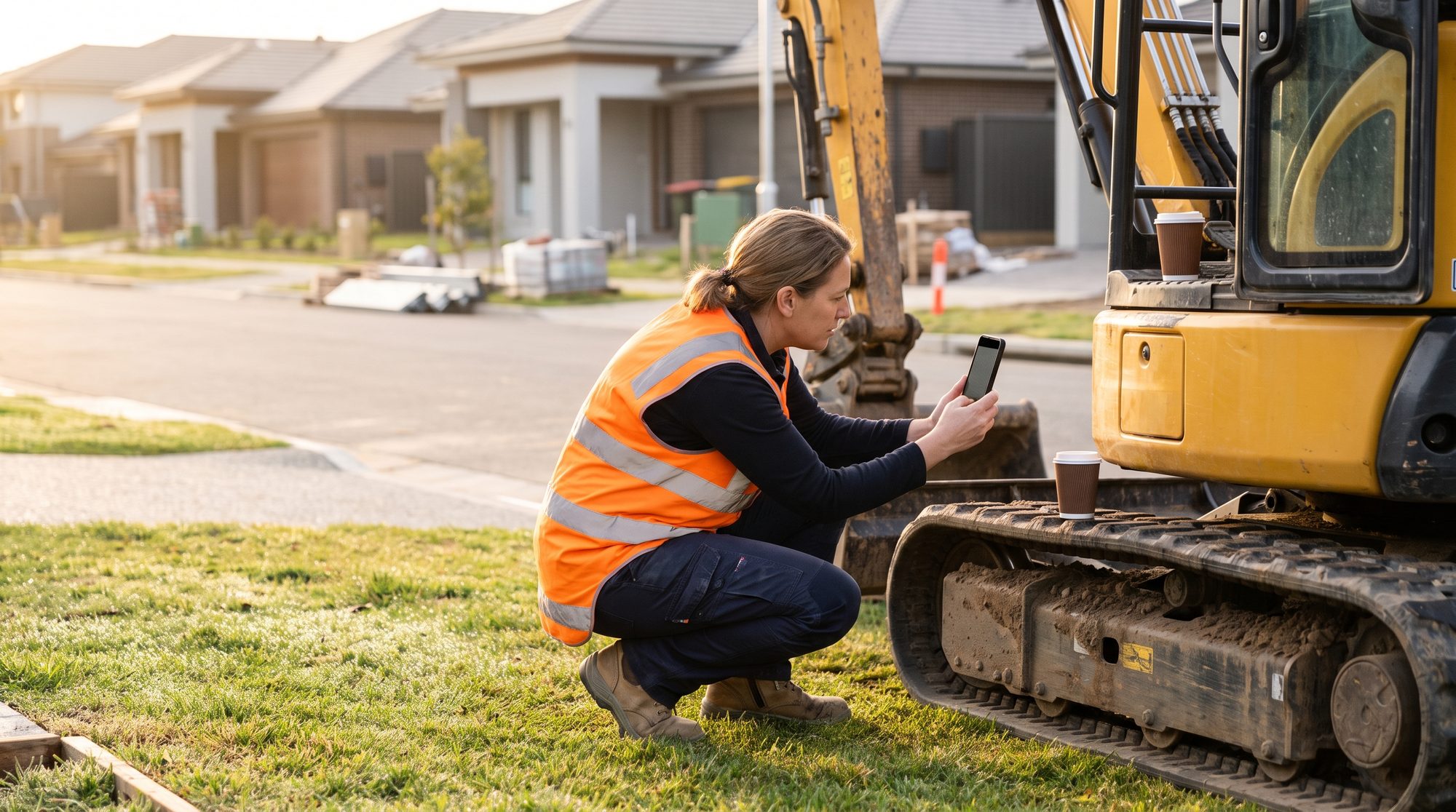
It's 6:45am. The crew is on site, the machine needs to be moving by seven, and the pre-start book is in the other ute. Someone ticks the boxes on a scrap of paper, or ticks them from memory at lunch, or doesn't. The form gets done. Whether the check got done is another question.
Most businesses running plant, vehicles or crews already have a pre-start process. The form isn't the problem. The problem is what happens to the form after it's filled in.
What a pre-start is supposed to do
A pre-start checklist has three jobs:
- Make sure the check happens before the machine, vehicle or crew starts work.
- Get faults to the person who fixes them, quickly enough that it matters.
- Leave a record you can find again when someone asks.
Paper is fine at the first job if people are disciplined. It's poor at the second and third. A fault written on page 14 of a pre-start book is a fault nobody in the office knows about until the book comes back, if it comes back.
A ten-minute test for your current process
Pick any machine or vehicle and try to answer these from the records alone. No ringing around.
- Was it checked last Tuesday? Can you find the sheet in under two minutes?
- Who checked it, and when? Is the time on the sheet, and do you believe it?
- What was the last fault reported on it? Where is that written down?
- Was that fault fixed? Who signed it off, and when?
- Can you show the tyre, the hose or the guard that was flagged? Is there a photo?
- How many checks were missed last month across the whole fleet or crew?
If you can answer all six quickly, your process works. Keep it. If you got stuck on three or more, the checks may well be happening, but you can't prove it, and faults are relying on someone remembering to mention them.
What a digital checklist with photos changes
A digital pre-start doesn't need to be clever. It needs to be quicker than the paper version, or people won't use it. Here's what a focused tool usually does.
The checklist is on the phone they already carry. Scan a QR code on the machine or pick it from a list, and the right checklist for that machine comes up. An excavator gets the excavator checks. A ute gets the ute checks. No hunting for the right form.
A fail needs a photo. Tick "fail" on hydraulic hoses and the app asks for a photo and a one-line note before it moves on. That photo is the difference between "hose looks a bit worn" and something the mechanic can actually judge from the yard.
Faults go to someone straight away. A failed item sends a text or email to whoever handles maintenance, with the photo attached. If it's a critical item, the machine can be marked out of service until it's signed off. Nobody has to remember to pass it on.
Every check is timestamped and stored. Who did it, when, on which machine, and what they found. Searchable by machine, by person or by date. The answer to "was it checked last Tuesday?" becomes a search, not a trip to the shed.
Missed checks show up. A simple board shows which machines or crews haven't submitted a pre-start today. You find the gap at 7:15am, not at the end of the month.
Fixes close the loop. When the fault is repaired, the mechanic marks it done with a photo of the fix. The record shows the whole story from flagged to fixed.
Most of this sits comfortably inside a job and workflow tracker, and it often starts as exactly that: one checklist, one fault flow, one board. If your records also need to stand up to an audit, the same thinking carries into a compliance and records system, with tamper-evident history and evidence you can export.
What stays the same
Your checklist items stay yours. We copy them from the form you already use, and your supervisor decides what's on it. The tool doesn't decide what's safe. Your people still do the check, still use their judgement and still stop work when something's wrong. The app just makes it harder to skip and easier to prove.
Your maintenance process stays the same too. The fault still goes to the same person. It just gets there faster and with a picture.
Why not just use an off-the-shelf app?
Sometimes you should. There are decent checklist apps around, and if one fits, use it.
Where they tend to fall down is the edges. Your machines need different checks. Faults need to reach a particular person depending on the site. You want the pre-start linked to the job, the timesheet or the asset register you already keep. Or the crew finds the app fiddly and quietly goes back to paper. A custom tool is built around your forms, your machines and your words, which is usually why it sticks.
When it isn't worth it
- You have two vehicles and one person checking them. A good paper book and a habit of photographing faults on your phone will do.
- An off-the-shelf app already does what you need and your crew actually uses it. Don't replace something that works.
- Nobody acts on faults now. A faster fault report won't help if it lands in an inbox no one reads. Sort out who owns maintenance first.
- Your crew has no reception on site and no time to sync later. It can be built to work offline and upload when back in range, but be honest about whether that will happen in practice.
- You need a full fleet maintenance system with parts, servicing schedules and costings. That's a bigger build. Start with the pre-start and fault flow, and see whether you still want the rest.
What a first version looks like
A focused version usually covers:
- Your existing checklists, one per machine or vehicle type
- QR codes for each machine so the right checklist comes up
- Pass, fail and photo on each item, with notes
- Instant alerts for failed items, and out-of-service flags for critical ones
- A daily board showing who has and hasn't submitted
- A searchable history and a PDF of any check, on demand
That's typically a two to three week build. Photos and records can be kept on Australian servers. If you later want inspection reports, the same photos can feed a branded PDF for a client or builder, the same way we generate branded audit evidence packs in a compliance platform we built for care providers.
If cost is the next question, our pricing page has the ranges.
What working with us looks like
We start with a 30-minute call. Bring a blank copy of your current pre-start form and tell us what happens when something fails. You get a written scope and a fixed price. Then we build a working prototype of the core feature, free: your real checklist on a phone, with a fail, a photo and an alert going to the right person. If it doesn't do what we agreed, you walk away. You see it working before you pay.
Send us your pre-start form and we'll show you what it looks like on a phone.